Open ePaper

Open ePaper

Open ePaper

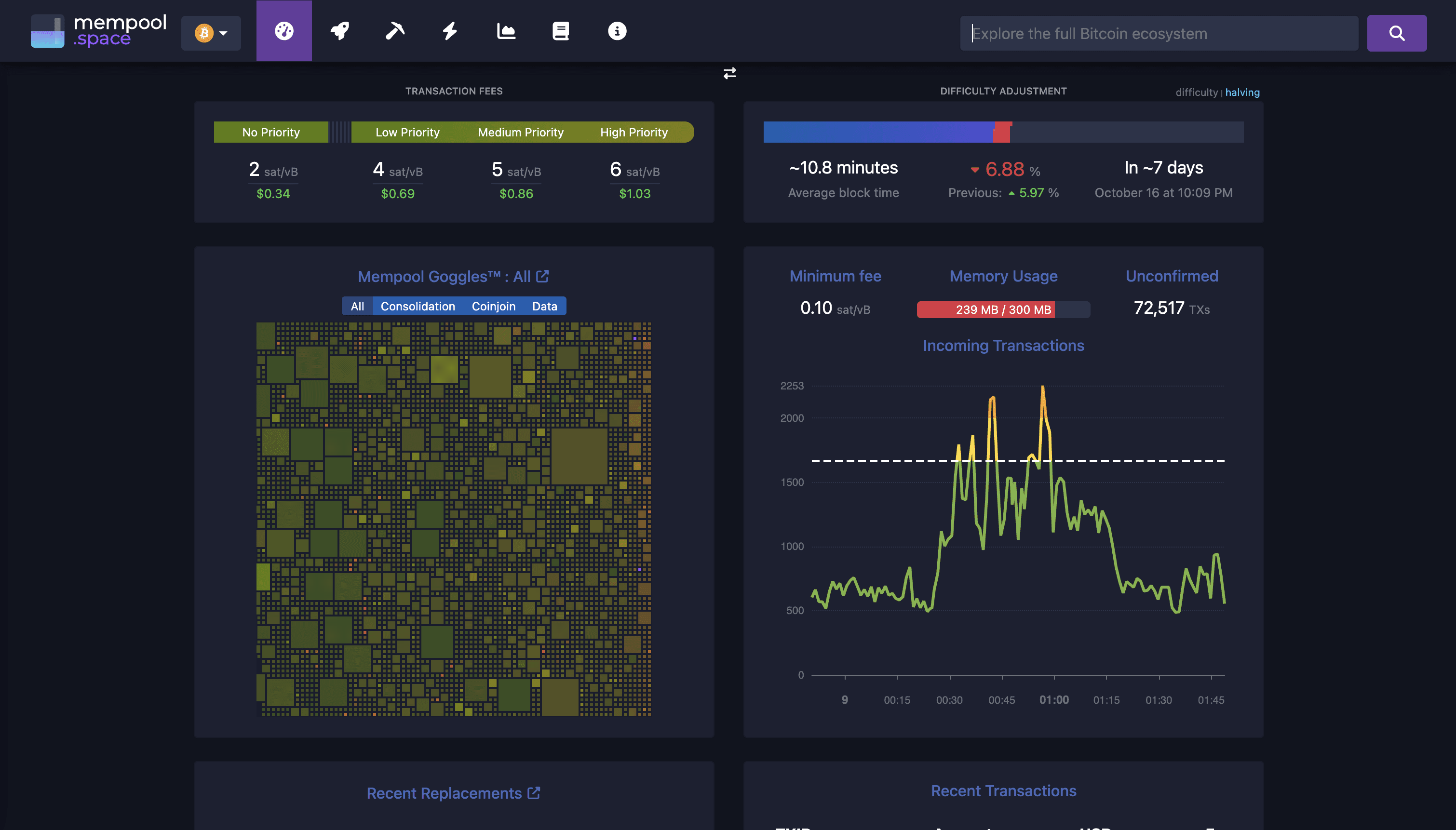
Designed the UI/UX for a high-end Bitcoin network monitor running on a 10.3″ e-paper display — merging minimalist elegance with real-time network insights.

Designed the UI/UX for a high-end Bitcoin network monitor running on a 10.3″ e-paper display — merging minimalist elegance with real-time network insights.

Rustic cabin in a golden field at sunset

Introduction

In mid-2025, Open Epaper Labs LLC approached me to design the user interface for a high-end, wall-mounted Bitcoin network monitoring device. The brief was to merge functionality, aesthetics, and minimalist hardware design into a 10.3” grayscale E-paper display.

The Bitcoin E-Paper display is a high-end, wall-mounted or desktop device that blends technology and art. It’s designed for Bitcoin enthusiasts who want to showcase real-time Bitcoin network data in an elegant and minimal way. My role was to design a modular, E-paper-optimized interface system that delivers clarity, balance, and aesthetic appeal on a 10.3-inch grayscale screen.

As the solo designer, I handled everything from UX to UI design, widget systems, and a developer-ready documentation. My goal was to create something timeless, a product that felt as crafted as a luxury timepiece, yet as informative as a live Bitcoin dashboard.

In mid-2025, Open Epaper Labs LLC approached me to design the user interface for a high-end, wall-mounted Bitcoin network monitoring device. The brief was to merge functionality, aesthetics, and minimalist hardware design into a 10.3” grayscale E-paper display.

The Bitcoin E-Paper display is a high-end, wall-mounted or desktop device that blends technology and art. It’s designed for Bitcoin enthusiasts who want to showcase real-time Bitcoin network data in an elegant and minimal way. My role was to design a modular, E-paper-optimized interface system that delivers clarity, balance, and aesthetic appeal on a 10.3-inch grayscale screen.

As the solo designer, I handled everything from UX to UI design, widget systems, and a developer-ready documentation. My goal was to create something timeless, a product that felt as crafted as a luxury timepiece, yet as informative as a live Bitcoin dashboard.

scenery of mountain canyon

Understanding the challenge

Designing for E-paper displays required rethinking traditional UI assumptions. The screen had 8 gray levels, high DPI, and updated every 15 minutes, which meant clarity, hierarchy, and visual rhythm had to be achieved without relying on color, motion, or gradients.


The challenge was to design eight key network widgets, each adaptable across five different layout sizes, while ensuring visual consistency and readability from both desktop and wall-mounted distances.

Designing for E-paper displays required rethinking traditional UI assumptions. The screen had 8 gray levels, high DPI, and updated every 15 minutes, which meant clarity, hierarchy, and visual rhythm had to be achieved without relying on color, motion, or gradients.


The challenge was to design eight key network widgets, each adaptable across five different layout sizes, while ensuring visual consistency and readability from both desktop and wall-mounted distances.

Understanding the device & context

Unlike typical screens, e-paper behaves more like digital ink on paper. It supports only eight shades of gray, updates slowly, and must conserve power. This meant no animations, no color accents, and no anti-aliasing. Instead, I had to rely on layout, typography, and contrast to express hierarchy and meaning.


The device updates every 15 minutes on battery, or real-time when plugged in, so the design had to look complete and balanced even between refreshes.

Unlike typical screens, e-paper behaves more like digital ink on paper. It supports only eight shades of gray, updates slowly, and must conserve power. This meant no animations, no color accents, and no anti-aliasing. Instead, I had to rely on layout, typography, and contrast to express hierarchy and meaning.


The device updates every 15 minutes on battery, or real-time when plugged in, so the design had to look complete and balanced even between refreshes.

aerial view of land
aerial view of land
aerial view of land
aerial view of land
a close-up of some wood

Research & insights: Learning from the best

Designing for an e-paper display required a deep understanding of how light, contrast, and hierarchy behave differently from traditional screens. My research focused on three core areas:

Designing for an e-paper display required a deep understanding of how light, contrast, and hierarchy behave differently from traditional screens. My research focused on three core areas:

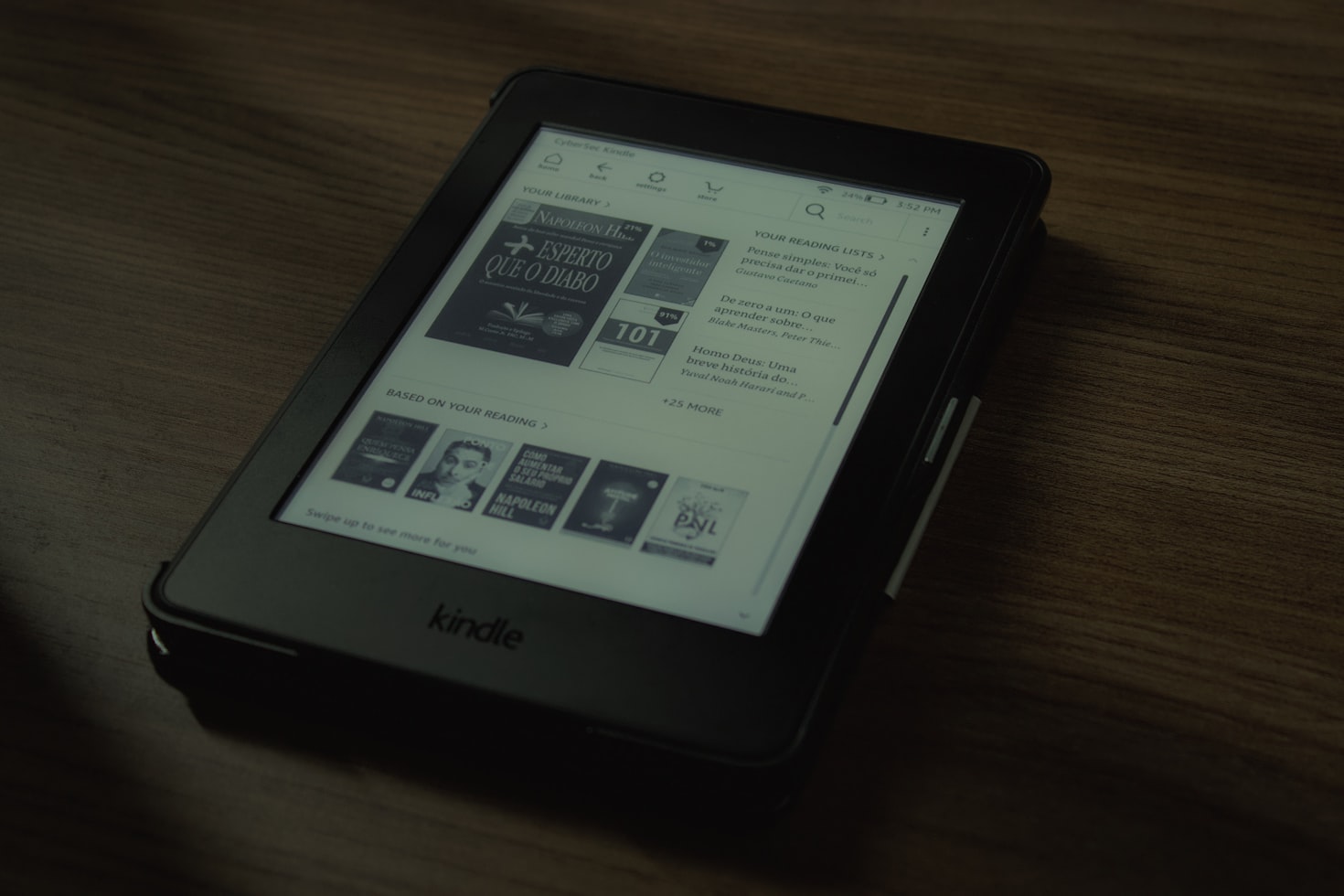
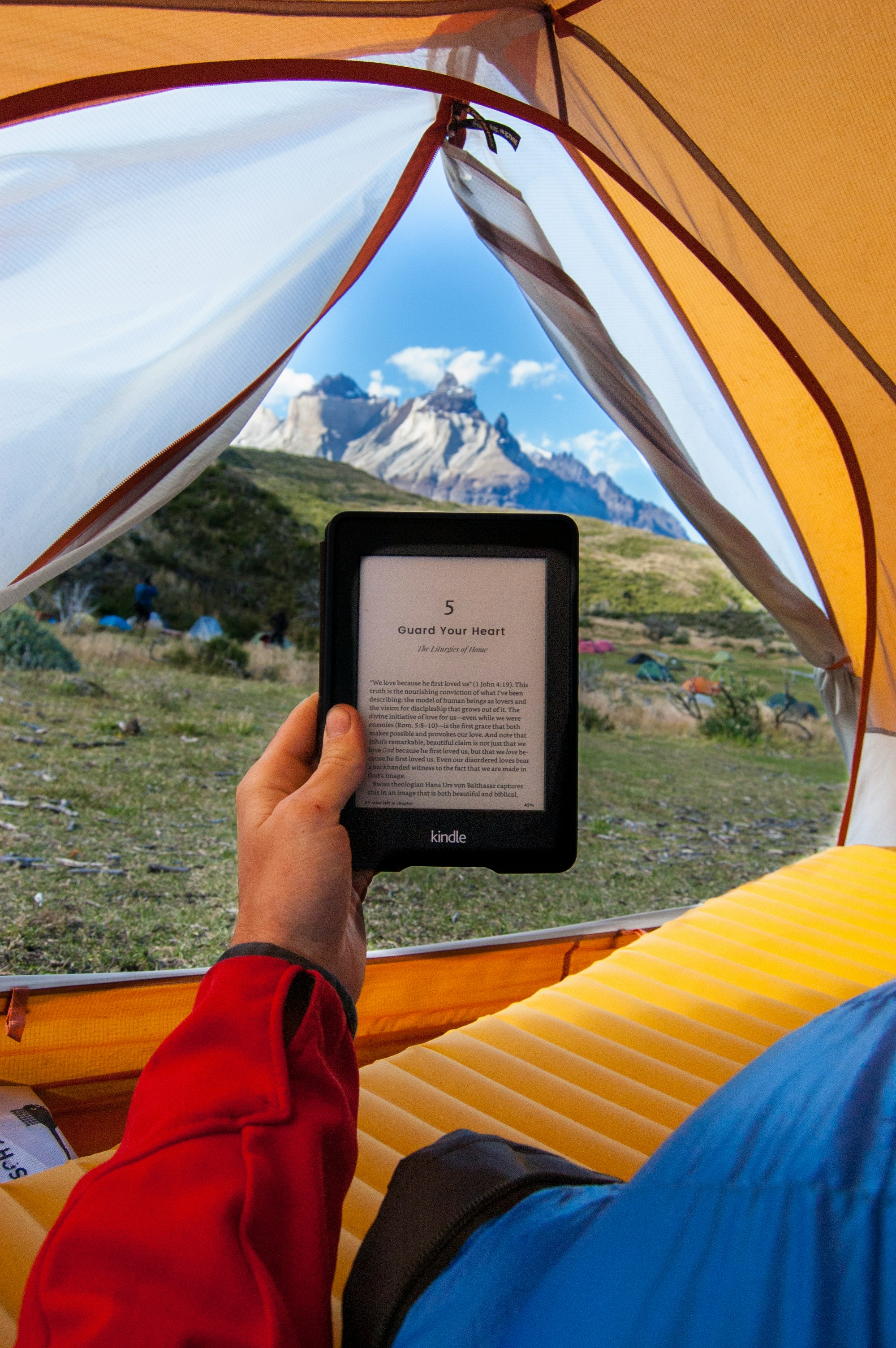
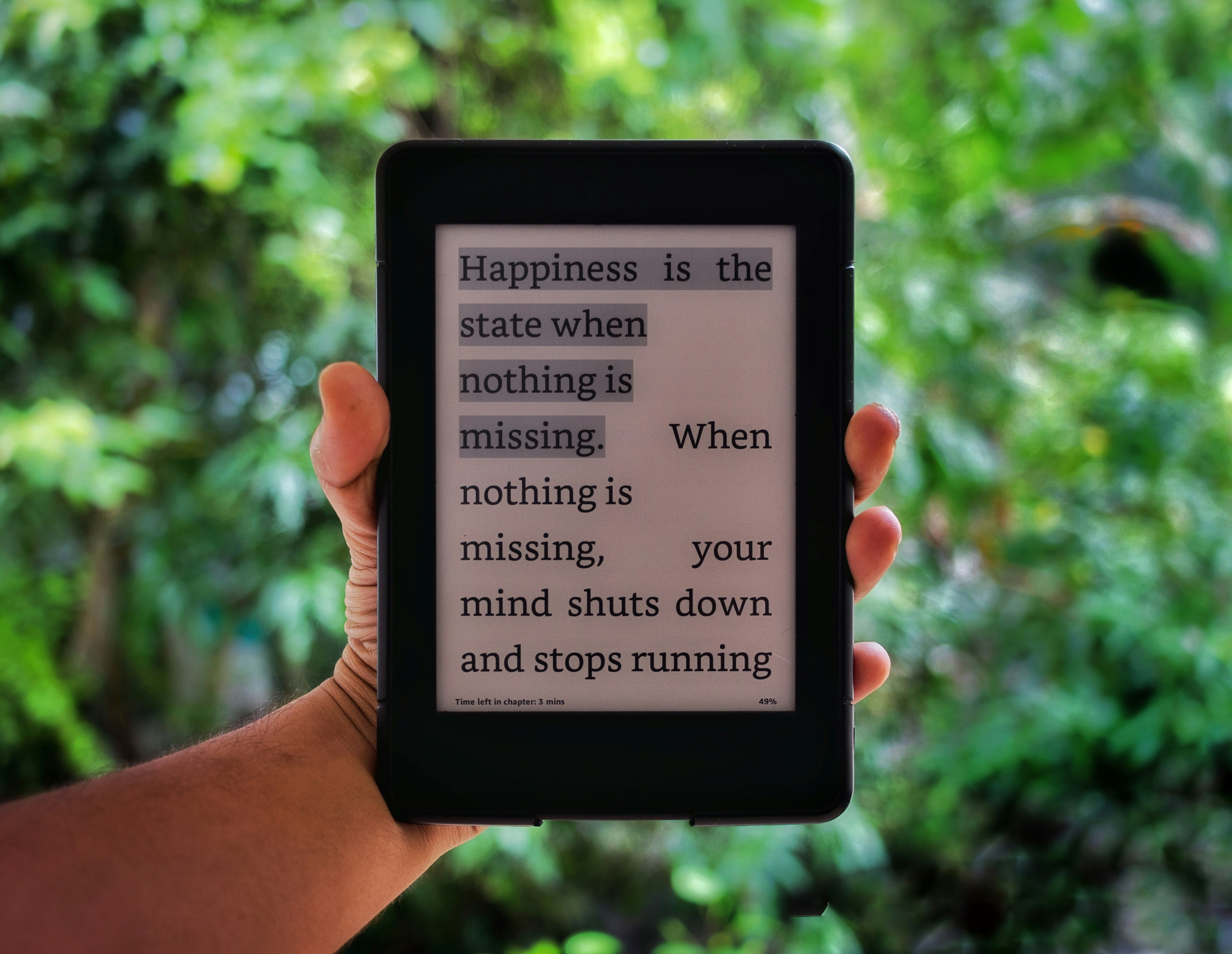
I studied Amazon Kindle's interfaces

Amazon's e-readers are easy to read for hours. I learned how they use spacing between letters, line height, and subtle gray tones to make text comfortable for your eyes.

Amazon's e-readers are easy to read for hours. I learned how they use spacing between letters, line height, and subtle gray tones to make text comfortable for your eyes.

 Bitvault
 Bitvault
 Bitvault
 Bitvault
 Bitvault
 Bitvault
 Bitvault
 Bitvault

I analyzed dashboard designs

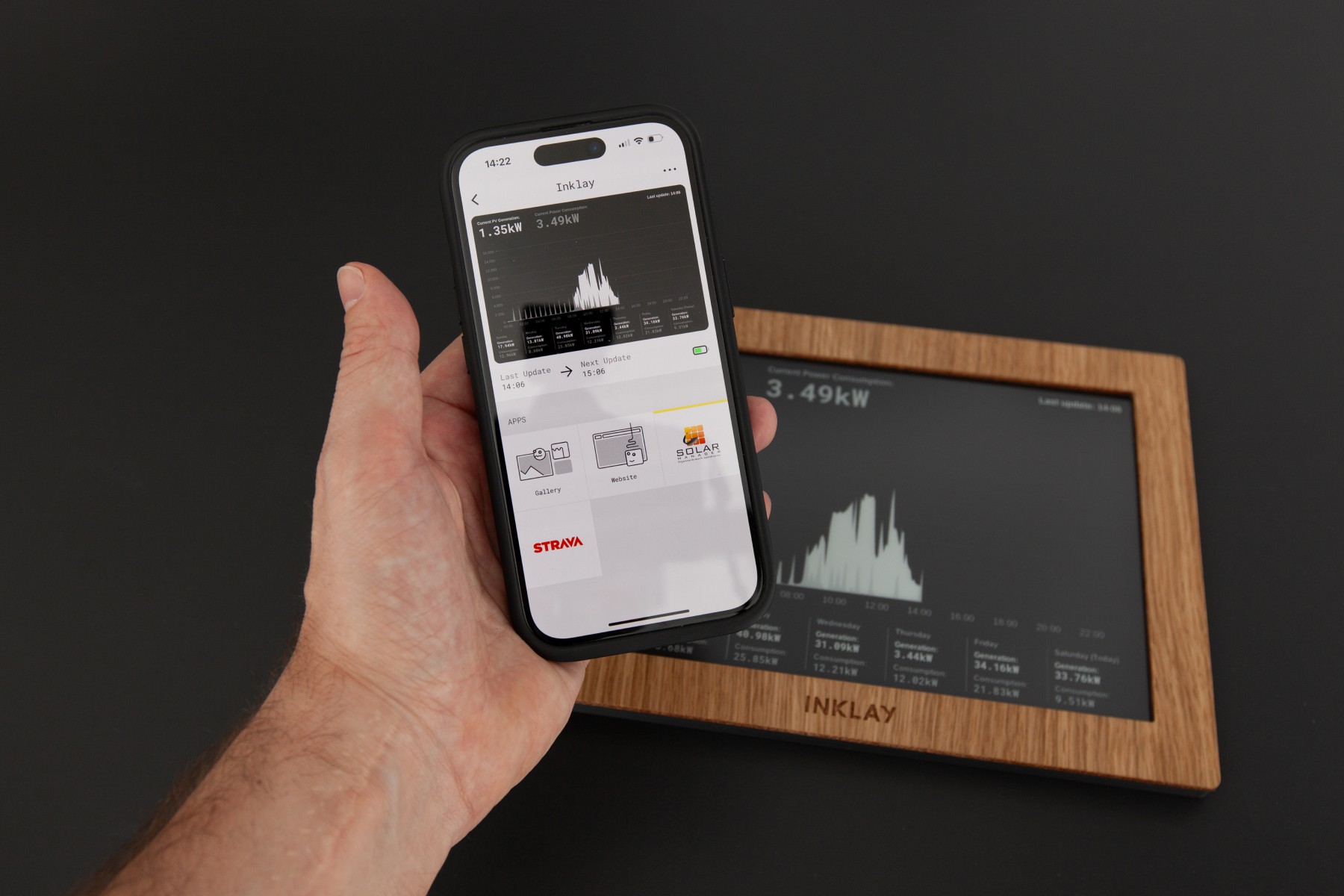
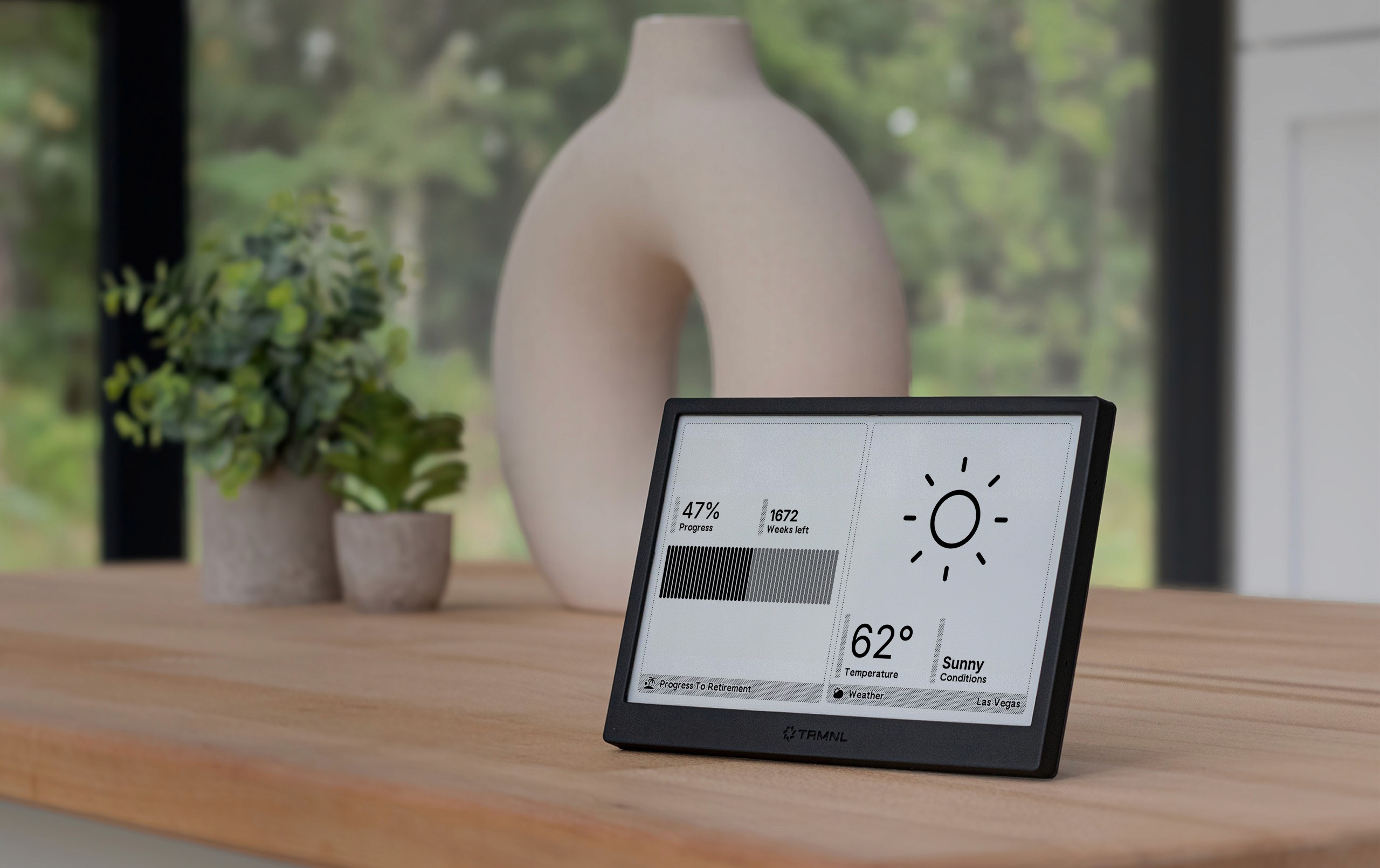
I looked at modern dashboards like usetrmnl.com and inklay.app to understand how clean grids and simple layouts help people scan information quickly.

I looked at modern dashboards like usetrmnl.com and inklay.app to understand how clean grids and simple layouts help people scan information quickly.

I researched Bitcoin dashboards

I studied what Bitcoin users actually care about: network fees, block times, mempool size, and hashrate. This helped me figure out which information mattered most.

I studied what Bitcoin users actually care about: network fees, block times, mempool size, and hashrate. This helped me figure out which information mattered most.

 Bitvault
 Bitvault
 Bitvault
 Bitvault

My design goals

I wanted to create something that was both technical and beautiful. Here's what I focused on:

I wanted to create something that was both technical and beautiful. Here's what I focused on:

1. Make it flexible

Every widget needed to work at different sizes, from small summaries to fullscreen displays without looking broken.

Every widget needed to work at different sizes, from small summaries to fullscreen displays without looking broken.

2. Make it readable from anywhere

Whether you're sitting at your desk or standing across the room, everything should be clear and easy to read.

Whether you're sitting at your desk or standing across the room, everything should be clear and easy to read.

3. Design for e-paper, not against it

Instead of trying to make it look like a phone screen, I embraced what makes e-paper special: its simplicity and clarity.

Instead of trying to make it look like a phone screen, I embraced what makes e-paper special: its simplicity and clarity.

4. Make data beautiful

Bitcoin metrics aren't just numbers, they can look elegant when presented thoughtfully.

Bitcoin metrics aren't just numbers, they can look elegant when presented thoughtfully.

background pattern
background pattern
background pattern
background pattern
white and red abstract painting

The design system

Building blocks that work together

I created a 4×4 grid system, think of it like invisible guidelines that keep everything organized and aligned.

I created a 4×4 grid system, think of it like invisible guidelines that keep everything organized and aligned.

Five layout options

Each widget can appear in five different sizes:

Each widget can appear in five different sizes:

  • Fullscreen: Takes up the entire display for maximum detail

  • Fullscreen: Takes up the entire display for maximum detail

  • 3T/3B: Takes up three-quarters of the screen (top or bottom)

  • 3T/3B: Takes up three-quarters of the screen (top or bottom)

  • 2L/2R: Takes up half the screen (left or right)

  • 2L/2R: Takes up half the screen (left or right)

  • 1T/1B: Takes up one quarter (top or bottom)

  • 1T/1B: Takes up one quarter (top or bottom)

  • 1L/1R: Takes up one quarter (left or right)

  • 1L/1R: Takes up one quarter (left or right)

This means users can customize their display however they want. Want to see the mempool fullscreen? Done. Want four small widgets showing different stats? Also done.

This means users can customize their display however they want. Want to see the mempool fullscreen? Done. Want four small widgets showing different stats? Also done.

  • Five layout options

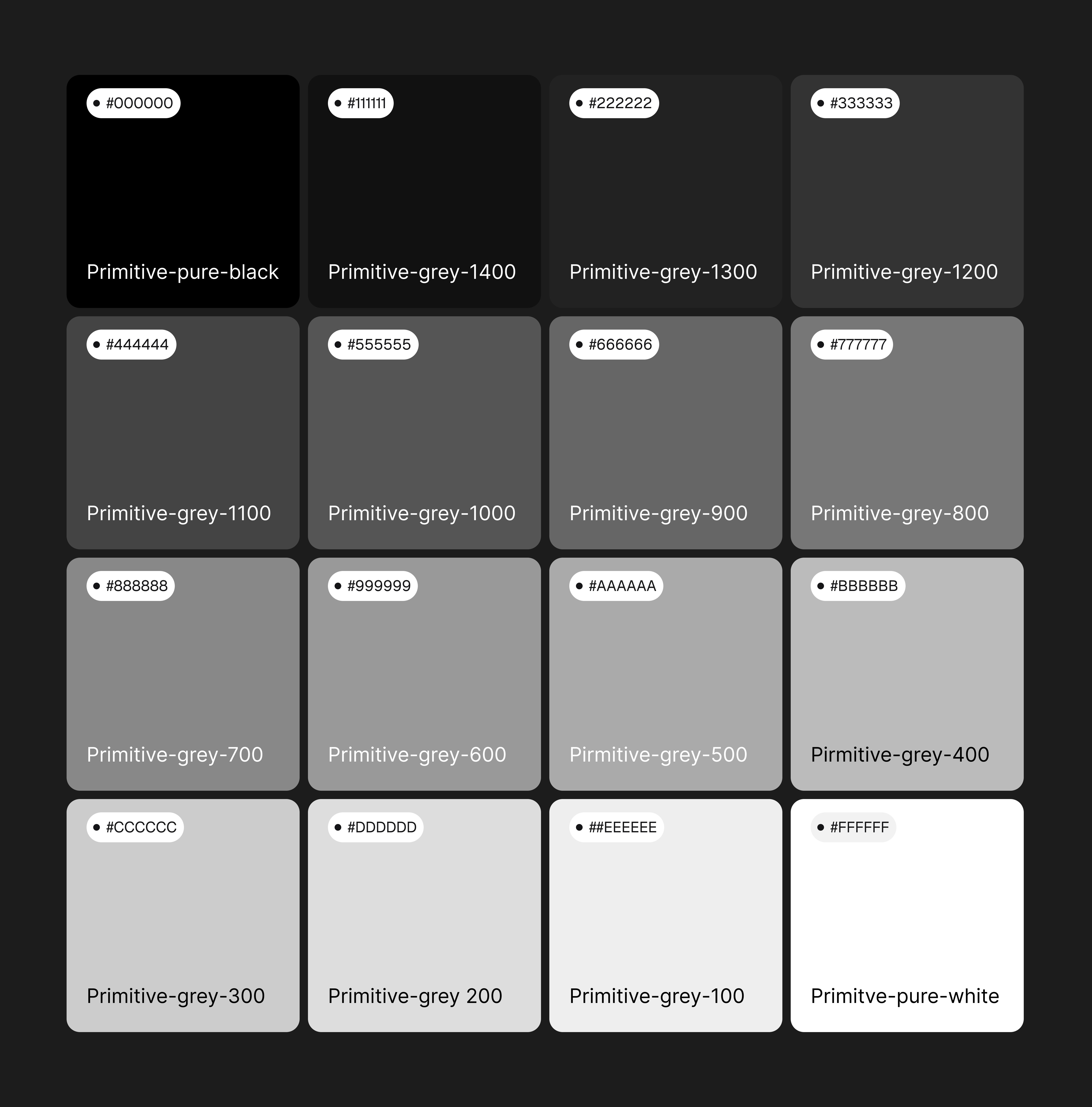
Working with 16 shades of gray

I treated each gray level like an ingredient in a recipe:

I treated each gray level like an ingredient in a recipe:

  • Grayscale palette

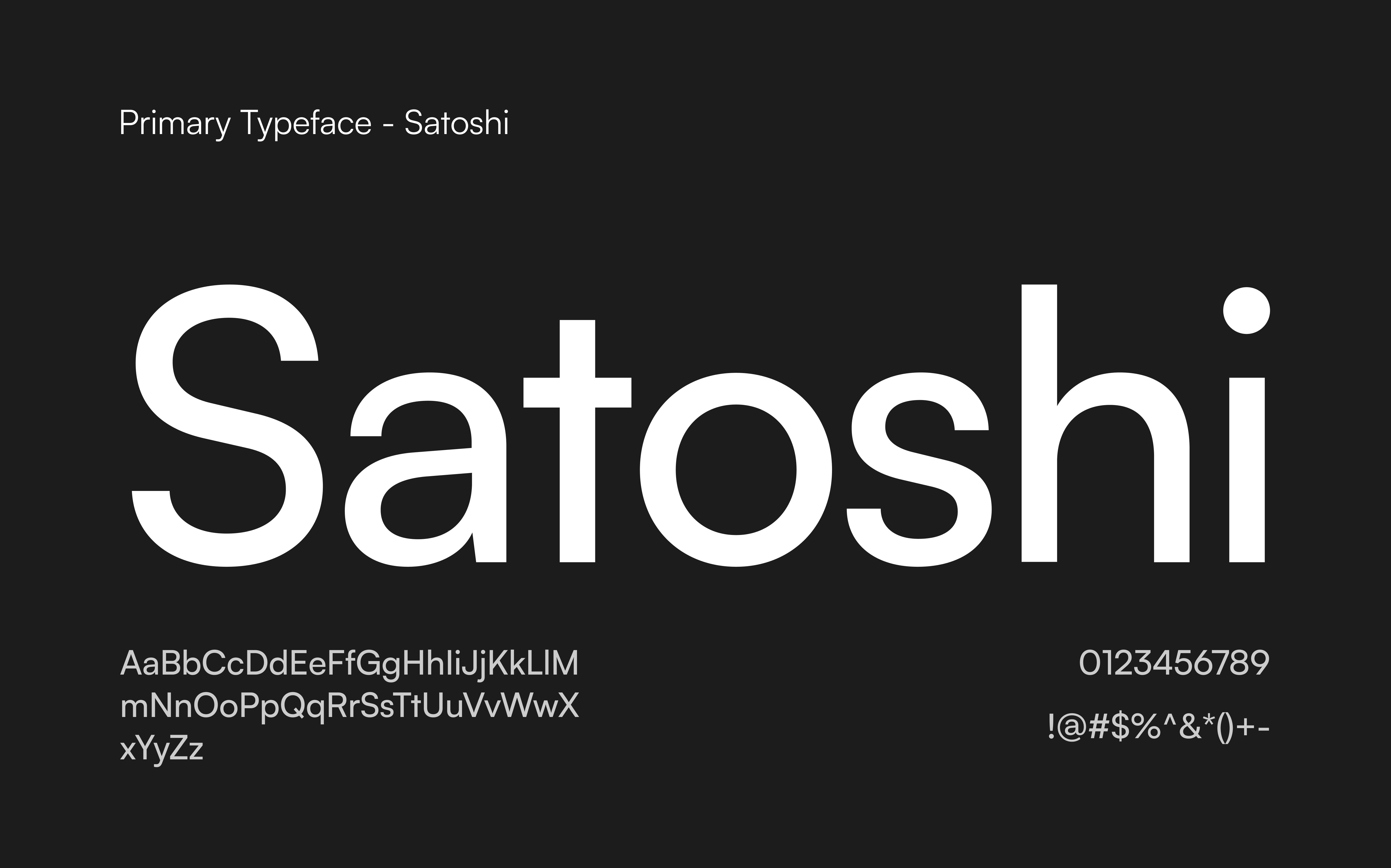
Typography does the heavy lifting

Without color to show what's important, I relied completely on font sizes and weights. I chose a typeface that: Looks crisp on high-resolution e-paper, Stays clear at any size, Works well in all 16 gray levels.

Without color to show what's important, I relied completely on font sizes and weights. I chose a typeface that: Looks crisp on high-resolution e-paper, Stays clear at any size, Works well in all 16 gray levels.

  • Primary typeface

Final design solution

The eight widgets

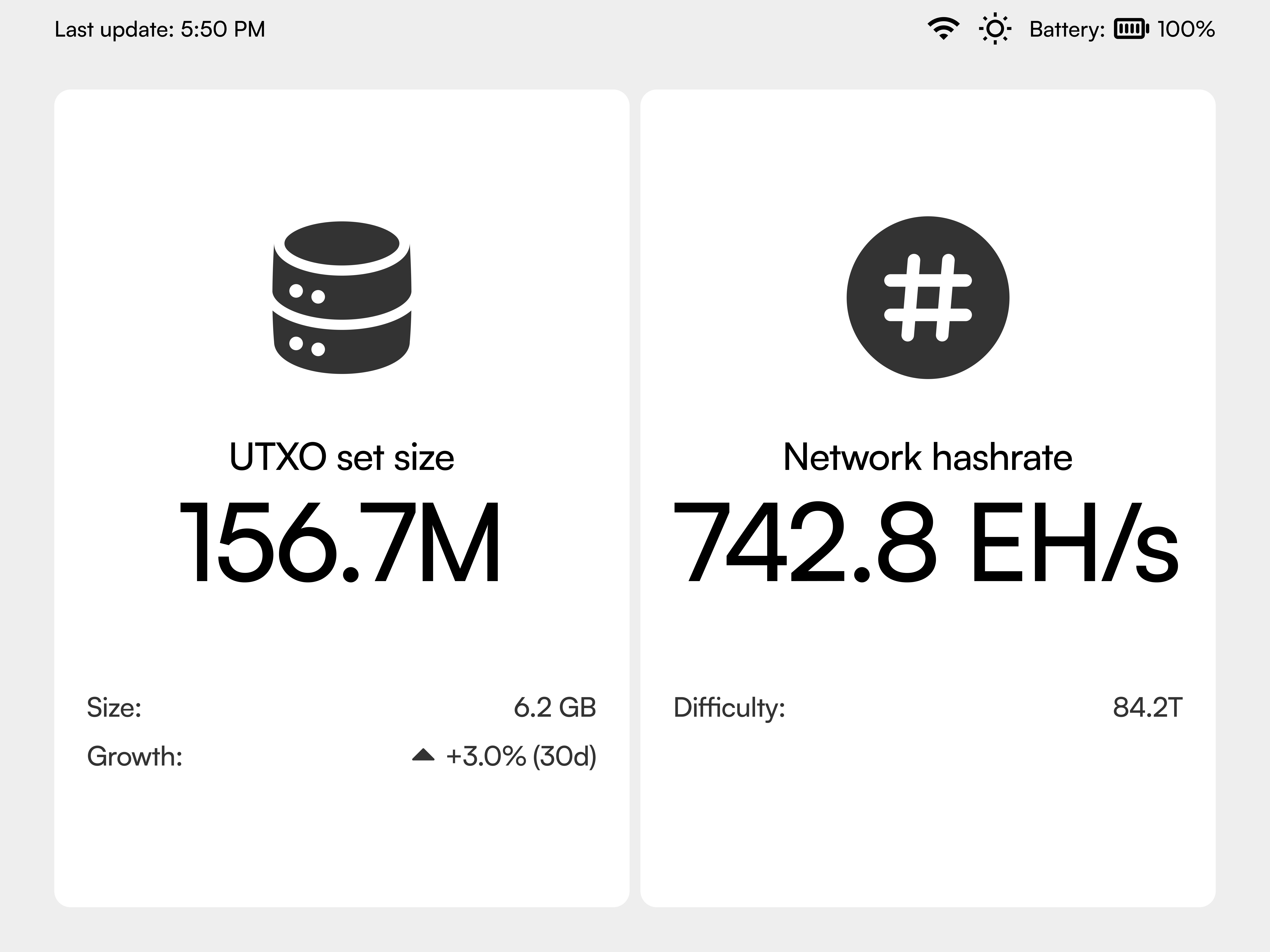
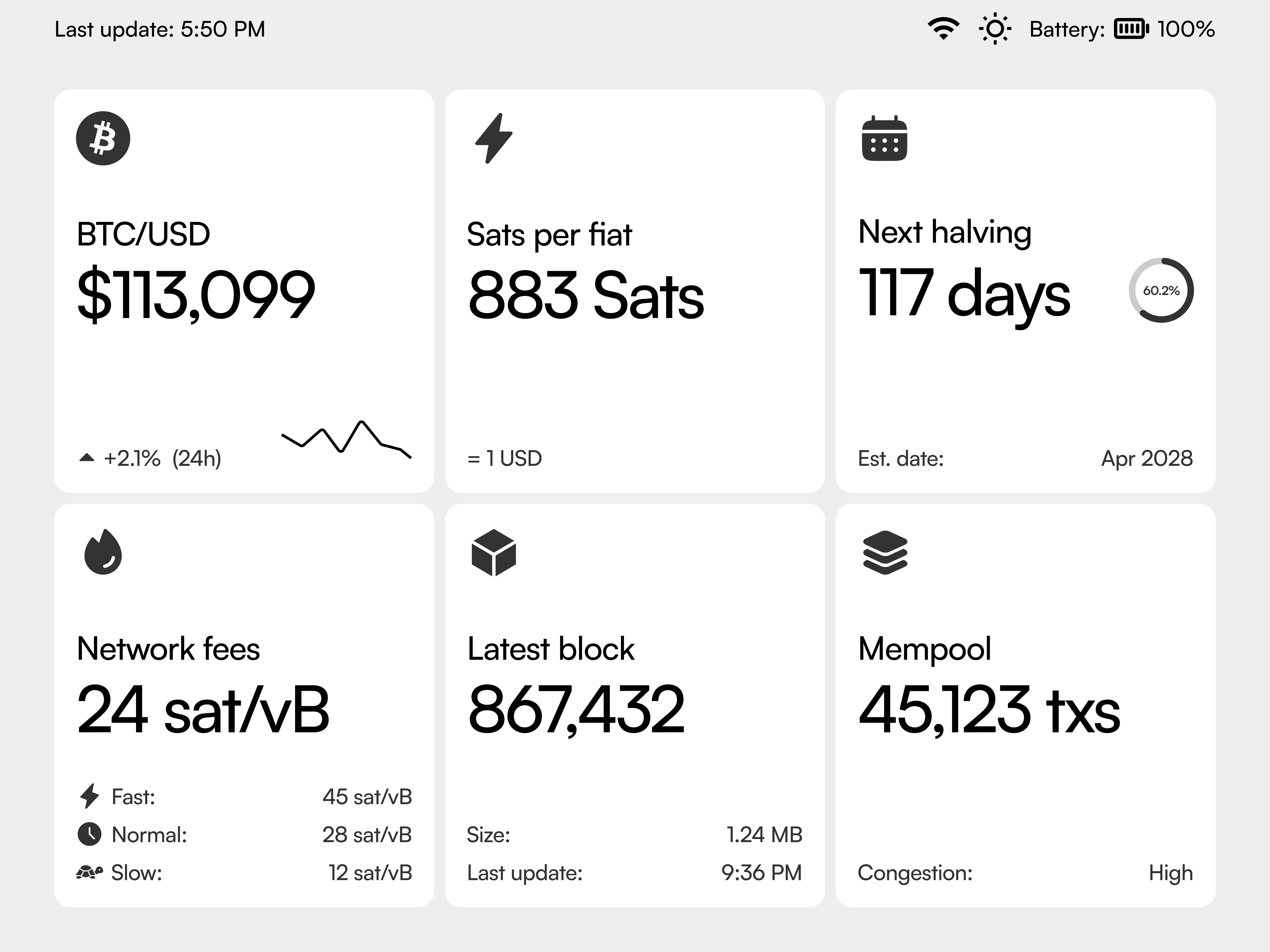
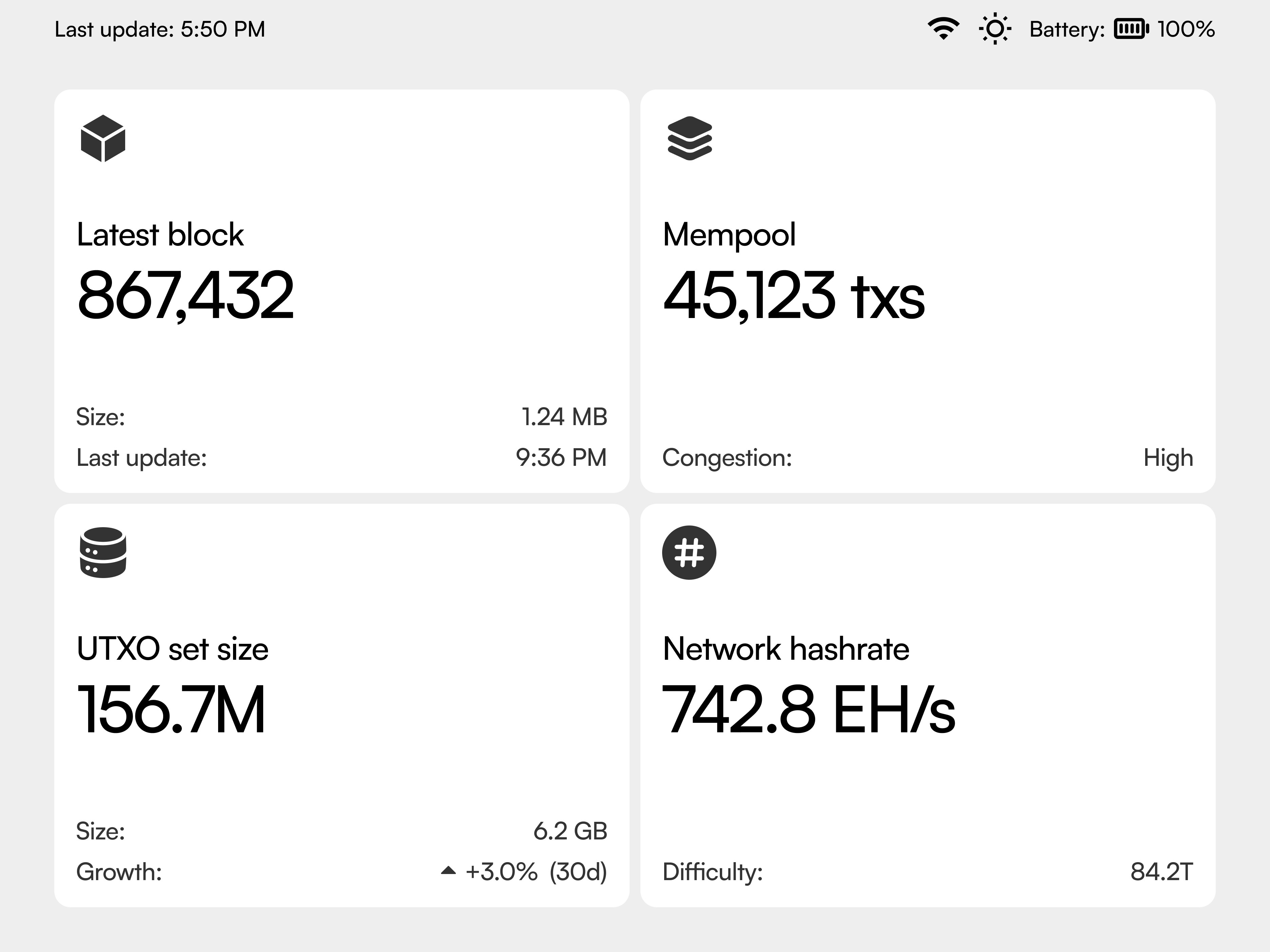
I designed eight different information modules. Each one shows specific Bitcoin network data:

I designed eight different information modules. Each one shows specific Bitcoin network data:

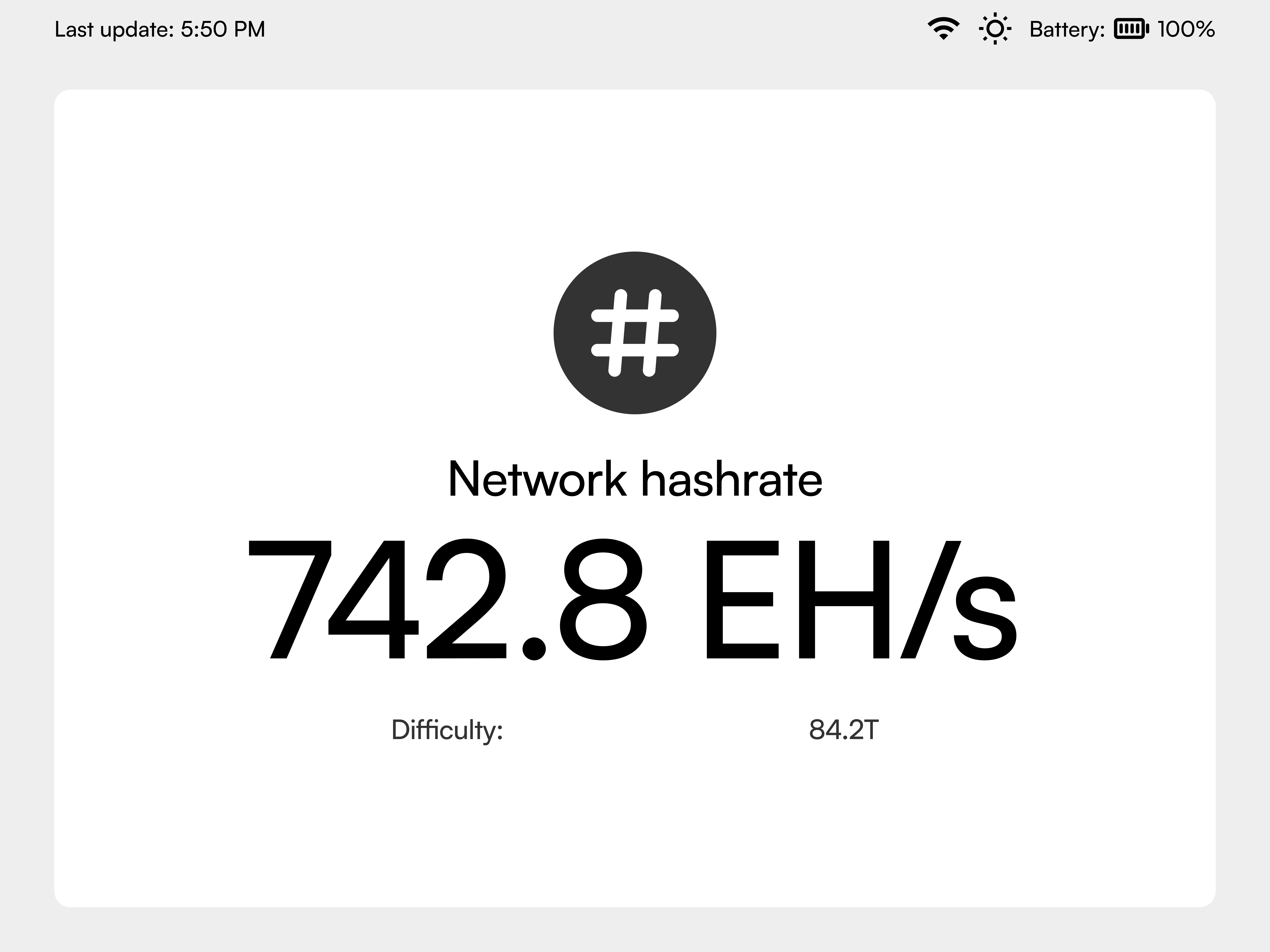
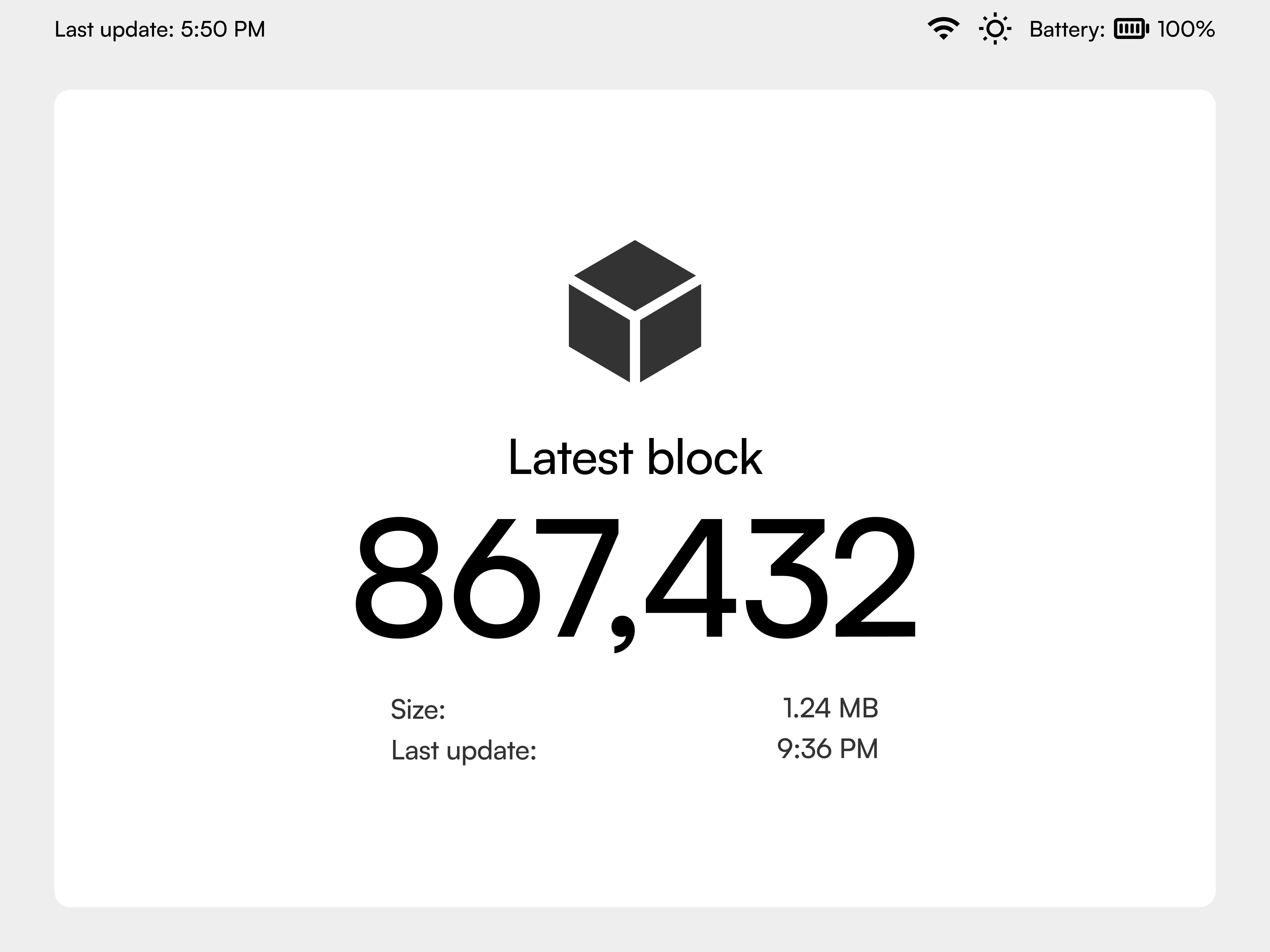
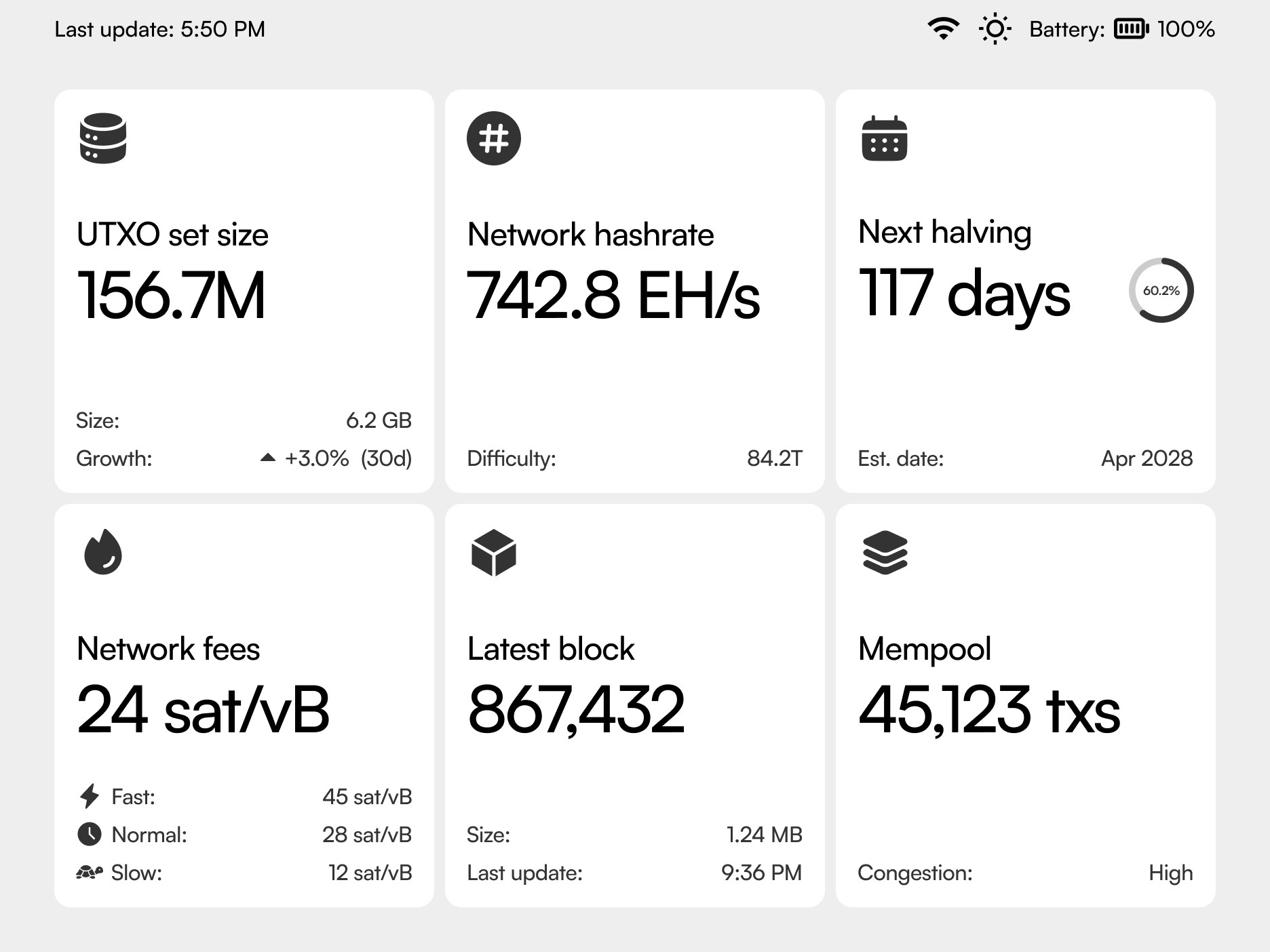
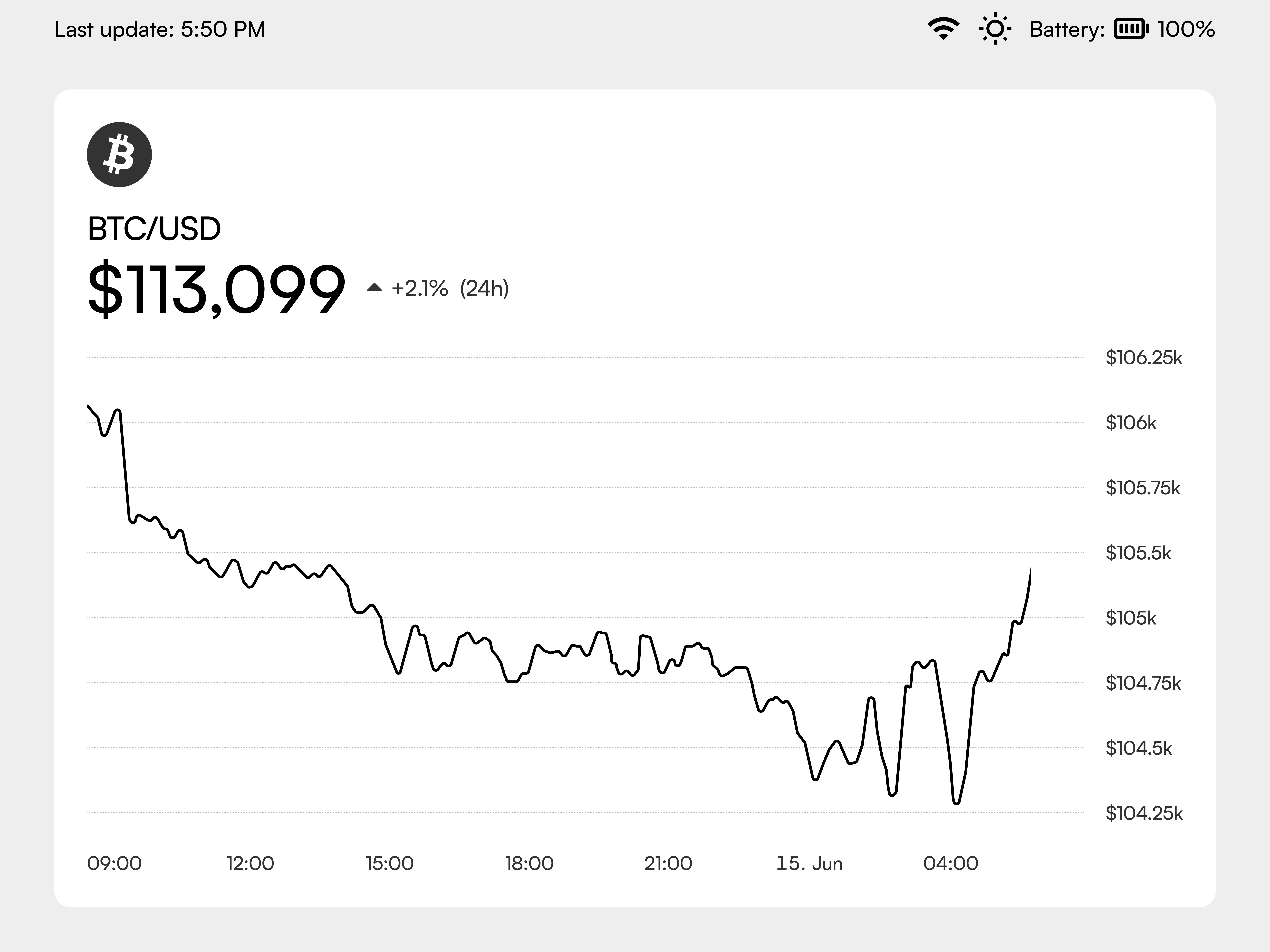
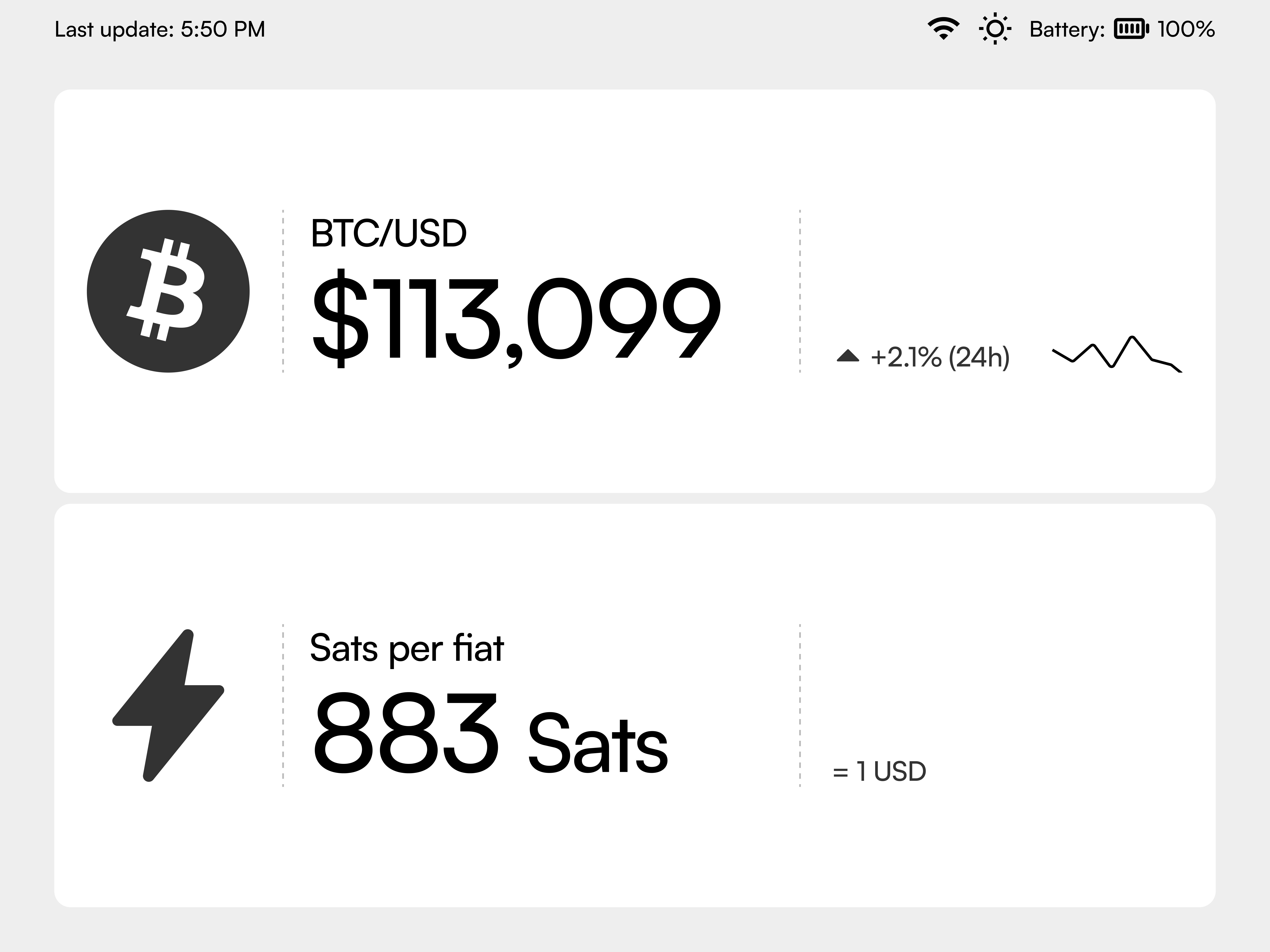
Network Status · Mempool Depth · Block Timeline · Fee Estimation · Hashrate Monitor · Node Statistics · Price Tracker · Network Health

Network Status · Mempool Depth · Block Timeline · Fee Estimation · Hashrate Monitor · Node Statistics · Price Tracker · Network Health

Every widget follows the same design rules:

Every widget follows the same design rules:

  • Big, easy-to-read primary numbers

  • Big, easy-to-read primary numbers

  • Supporting information that doesn't clutter

  • Supporting information that doesn't clutter

  • Looks good when small

  • Looks good when small

  • Looks great when expanded

  • Looks great when expanded

Widgets 3T/3B

Widget (Fullscreen)

Widgets 1L/1R

Widgets 2L/2R
Widgets (1T/1B)
More than just the main screen

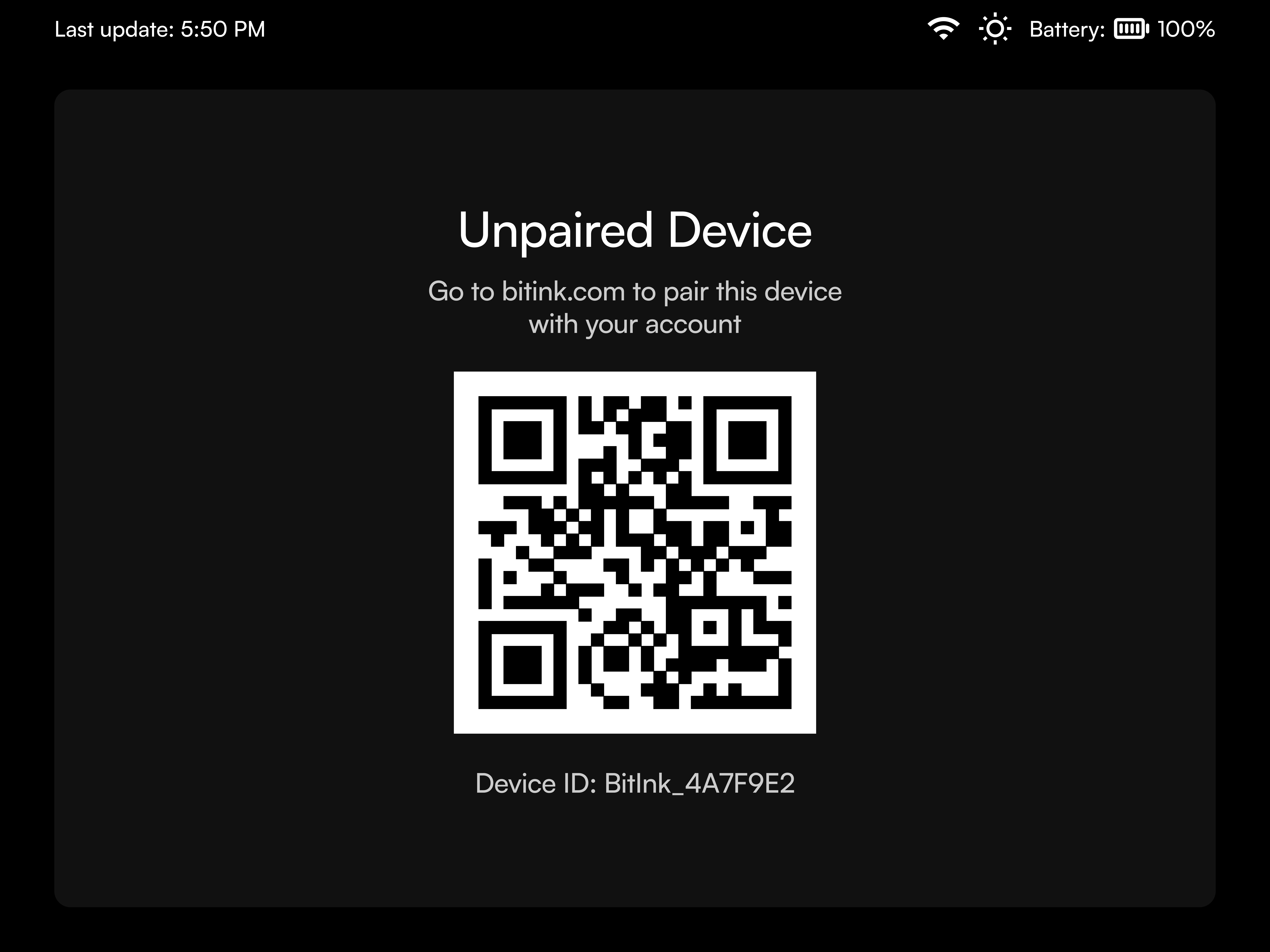
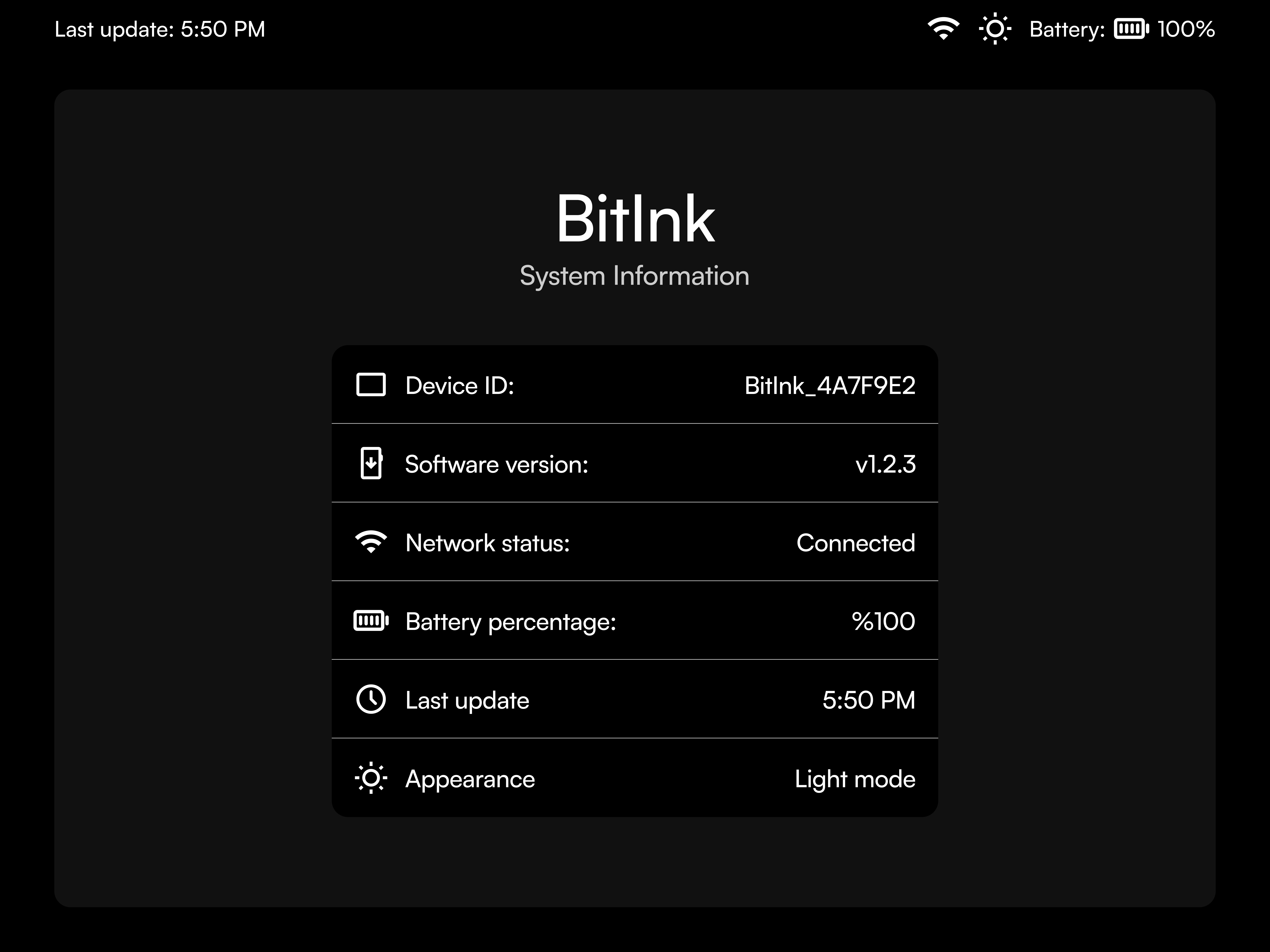
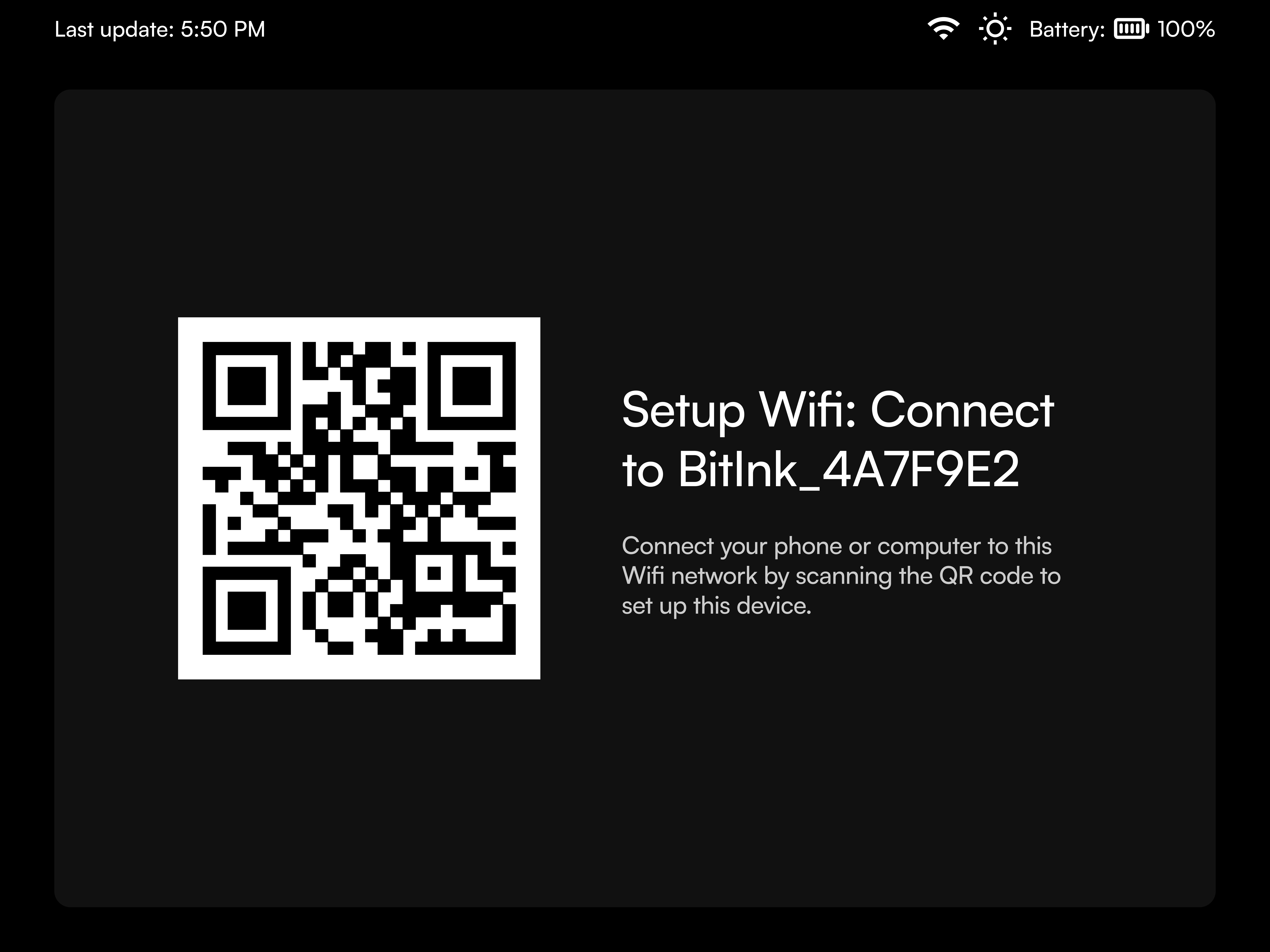
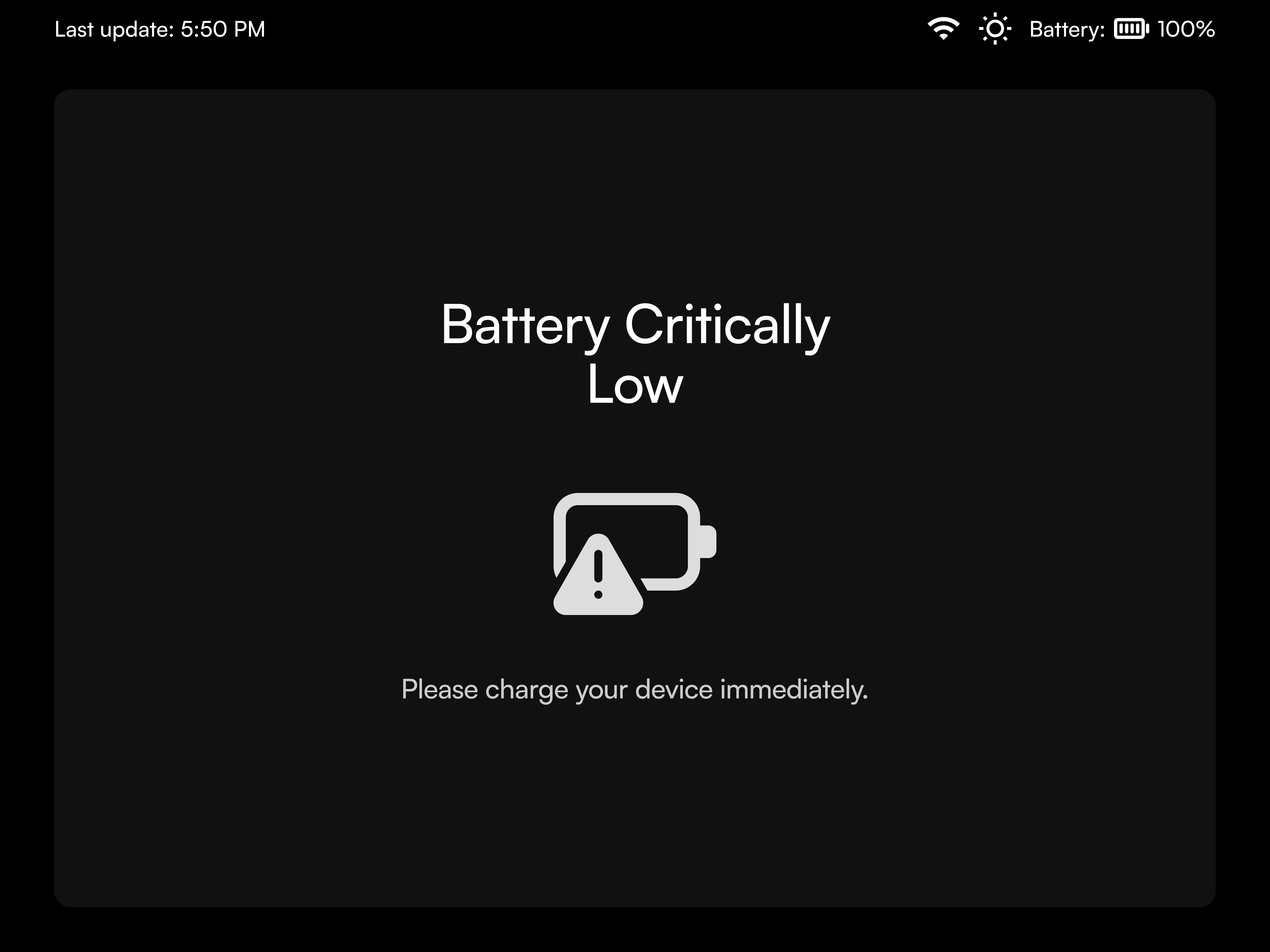
Beyond the dashboard, I designed the system experience , from WiFi setup, battery and pairing screens, to error and update states. Each screen was built to communicate clearly even at a distance, with large typographic emphasis, intentional whitespace, and motionless hierarchy cues. The entire UX emphasized calm technology.
What i learned

This project changed how I think about design:

This project changed how I think about design:

Less really is more

When you can't use color or animations, every decision matters more. You have to make each element count.

When you can't use color or animations, every decision matters more. You have to make each element count.

Limitations spark creativity

The e-paper constraints didn't limit me, they forced me to think differently and find better solutions.

The e-paper constraints didn't limit me, they forced me to think differently and find better solutions.

Systems create freedom

By setting up clear rules (the grid, the gray levels, the layouts), I actually created more possibilities, not fewer.

By setting up clear rules (the grid, the gray levels, the layouts), I actually created more possibilities, not fewer.

Slow can be beautiful.

A screen that updates every 15 minutes asks you to focus on what truly matters, not what constantly changes.

A screen that updates every 15 minutes asks you to focus on what truly matters, not what constantly changes.

What the client said

Photo of Leon

Jonas Schnelli

Open Epaper Labs LLC

Samuel delivered exceptional screen design work for Open Epaper Labs LLC's Bitcoin Status Display project. We needed someone who truly understood the unique constraints of epaper technology—working with 16 shades of gray while maintaining visual clarity and consistency across many different graphical scenarios.


Samuel nailed it. His designs were perfectly optimized for our non-interactive epaper display, with a cohesive visual language that works beautifully across all our various status screens. He clearly understood the medium and created designs that are both functional and elegant within those constraints.


I'd highly recommend Samuel for any epaper design work, especially if you need someone who can think creatively within technical limitations.

Create a free website with Framer, the website builder loved by startups, designers and agencies.